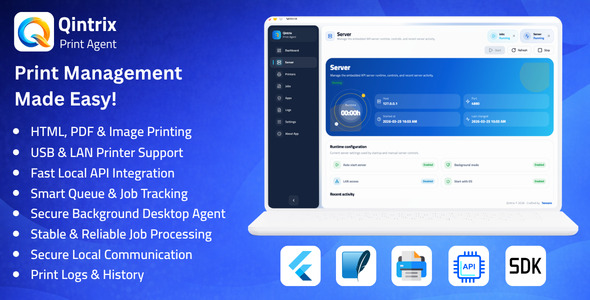
Qintrix is a desktop print agent designed to connect web applications, internal systems, and business platforms with local printers in a secure and reliable way. It provides a local API-based printing workflow with printer management, queue control, job tracking, and diagnostic visibility for real operational environments.
Main Features
Local API server for printing workflows
Support for Text, PDF, and Image print jobs
Printer management with add, edit, enable, disable, test, and delete actions
Application management with API keys and printer access rules
Queue management with pause, resume, retry, and status tracking
Job lifecycle tracking for accepted, queued, processing, completed, failed, and canceled jobs
Support for system spooler and TCP/network printer workflows
Operational logs and diagnostic records
Background mode and startup support
English and Arabic interface support
Why Choose Qintrix?
Provides a reliable local printing workflow for business systems
Reduces the complexity of browser-to-printer integration
Improves control through centralized printer and application management
Helps operations teams monitor print jobs and troubleshoot issues faster
Offers a structured foundation for production-ready print environments
Application Modules
Dashboard: Overview of server status, recent jobs, and activity
Server Management: Start, stop, restart, and monitor the local server
Printers: Manage printers and test printer connectivity
Applications: Register apps, generate API keys, and assign printer permissions
Jobs: Track all print jobs and their current statuses
Logs: Review system activity and diagnostic records
Settings: Configure language, startup behavior, retry rules, and system options
Use Cases
Restaurant and café order printing
POS receipt printing
Warehouse and shipping label printing
Office and internal document printing
Ticket and counter slip printing
Any business application that requires secure local printer access
Technical Information
Qintrix is designed as a development-ready desktop printing infrastructure application for teams that need a stable bridge between software systems and local printer environments. The codebase is structured for real product usage, customization, and long-term extension rather than a simple proof of concept.
Core Stack
Built with Flutter and Dart for a unified cross-platform desktop application targeting macOS, Windows, and Linux.
Application Architecture
Organized into dedicated modules for dashboard, server runtime, printers, apps, jobs, logs, and settings to support maintainability and feature expansion.
Embedded API Layer
Includes a local HTTP API for health checks, printer listing, printer testing, print job creation, job inspection, retry and cancel actions, and queue control operations.
Authorization Model
Uses API-key-based application authorization with enabled or disabled app states and optional printer-level access restrictions.
Local Persistence
Stores settings, printers, registered apps, print jobs, and log records in a local SQLite-based persistence layer for stable desktop operation.
Supported Job Types
Supports text, PDF, and image print jobs for different operational scenarios and integration requirements.
Printer Connectivity
Supports system spooler printers, TCP/network printers, and supported raw ESC/POS-oriented workflows for receipt and operational printing setups.
Queue & Execution Engine
Includes ordered print queue processing, pause and resume controls, retry handling, status transitions, and execution tracking for more reliable operations.
Diagnostics
Provides job-level status details, failure metadata, runtime activity logs, printer test results, and operational visibility for easier debugging and support.
Developer Integration
Includes a browser-first TypeScript Web SDK workflow for connecting web applications to the local Qintrix agent with a clean client-side integration pattern.
Localization
Includes multilingual interface support with English and Arabic language availability.
Development Readiness
Structured code organization, documentation, and test coverage make the project suitable for customization, white-label adaptation, and continued application development.
Before making a purchase, please read the Terms and Conditions on this page: Terms & Conditions
If you have any questions, please first read the FAQ on this page: FAQ
If you haven’t found the answer to your question, please contact us by e-mail codingshop20@yahoo.com or create ticket.
Please note that any digital products presented on the website do not contain malicious code, viruses or advertising. You buy the original files from the developers. We do not sell any products downloaded from other sites.
we have not responsible for support users. if you need support, you can buy products directly from envato.
Note that we can NOT provide purchase code for you. all products is Non-Licensed.
we can NOT support free updates for you. download links available until 30 days after purchase.
You can download the product after the purchase by a direct link on your account page in the downloads section.
Related Products
- 86%
$29.00Original price was: $29.00.$4.00Current price is: $4.00.