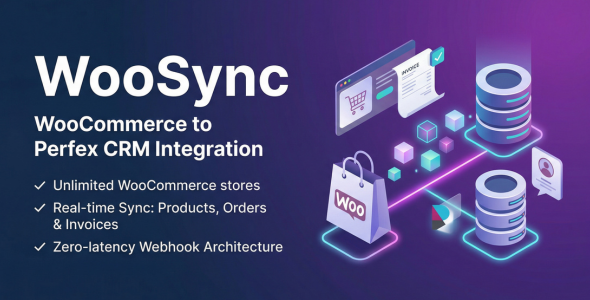
WooSync — WooCommerce Orders, Customers Invoices Sync for Perfex CRM

Version Download:
Original price was: $50.00.$8.00Current price is: $8.00.
WooSync is the ultimate synchronization bridge between your WooCommerce stores and Perfex CRM. Designed for businesses of all sizes, it brings real-time data sync capabilities to keep your CRM perfectly aligned with your eCommerce operations. Say goodbye to manual data entry and automate your workflow seamlessly.
Key Features & Capabilities
- Multi-Store Support: Connect and monitor an unlimited number of WooCommerce stores from one single master Perfex CRM dashboard.
- Real-time Synchronization: Instantly processes crucial eCommerce events such as new products, updated orders, and new customers without any delay.
- Silent Customer Profile Automation: Contact and Client records are seamlessly auto-constructed in the background. It explicitly prevents triggering accidental “Welcome” email spam or password resets to your customers.
- Automated Invoicing Machine: Enable a single toggle to automatically transform completed WooCommerce orders into legally compliant, auto-generated Perfex Invoices with precise tax and line-item mapping.
- Lightning Fast Performance: Features a high-performance interface that seamlessly integrates into your Perfex menus. Easily handles thousands of synchronized records without any browser lag.
Quick & Easy Installation
- Upload the module via Setup > Modules and click Activate in Perfex CRM.
- Generate standard WooCommerce API keys and add your store credentials in the WooSync -> Stores menu.
- Configure Webhooks in WooCommerce using the Delivery URL provided by the module.
- Watch your data sync automatically in real-time!
Documentation & Support
Comprehensive documentation is fully included in the downloaded package, or you can view it online at polyxgo.com. For assistance, submit a support ticket through the Codecanyon comment section. Our dedicated team responds as soon as possible with detailed guidance.
Frequently Asked Questions
Q: Can I sync multiple different WooCommerce stores using this module?
A: Yes, WooSync fully supports multi-store synchronization. You can connect an unlimited number of WooCommerce stores and manage all their data centrally within a single Perfex CRM dashboard.
Q: Can I disable the automated invoice creation?
A: Yes. When adding or configuring a store, simply uncheck the “Auto-Create Invoice” setting. Orders will then sync normally into the CRM as standalone records without spawning any financial invoices.
Q: Are new orders or products synced instantly when created on the store?
A: Yes. By configuring Webhooks in your WooCommerce dashboard, WooSync listens to real-time events. Actions like order creations or product updates are instantly caught and processed by the CRM without waiting for periodic cron jobs.
Q: Will syncing existing WooCommerce customers send them annoying “Welcome” emails from the CRM?
A: No. WooSync uses a Silent Sync Protocol. During the import, CRM Clients and Contacts are built in the background and Perfex’s native welcome email triggers are strictly suppressed to avoid spamming your buyers.
- Before making a purchase, please read the Terms and Conditions on this page: Terms & Conditions
- If you have any questions, please first read the FAQ on this page: FAQ
- If you haven’t found the answer to your question, please contact us by e-mail codingshop20@yahoo.com or create ticket.
- Developer Support: Official support from the original developer is not included with purchases from CodingShop.
- Product Updates: Free lifetime updates are not included. Future updates is not free and should buy again.
- Download Access: Purchased products are available for download for 30 days after purchase. We recommend downloading and securely storing your files during this period.
- Security: We take reasonable measures to review the files available on our platform. Customers should also scan downloaded files with up-to-date security software before installation.
- All software products available on CodingShop are distributed under the GNU General Public License (GPL). The applicable license information is provided with each product where applicable. Please review the applicable GPL license terms before using, modifying or redistributing any product.
- CodingShop is an independent digital marketplace and is not the original developer or official distributor of third-party products unless explicitly stated. We do not provide or sell purchase codes, activation codes, license keys.
- You can download the product after the purchase by a direct link on your account page in the downloads section.
Related Products

Ekattor 8 Finance Addon Bundle

Designit – Sass Photo Editor

BusinessBook – Inventory & Accounting Management Software

Crypto Trades – Opensea Clone using ERC721 1.3

JAAS (Jitsi as a Service or 8×8) Integration for RISE CRM