WooCommerce API Product Sync plugin can sync automatically product from one WooCommerce web store (shop) to the other WooCommerce web stores (shops) when product add/update. Also, sync bulk products in multiple web stores. It is the perfect solution for separate WooCommerce web stores.
Features
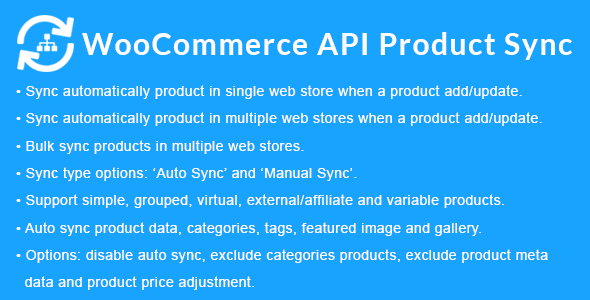
Sync automatically product in single web store when a product add/update.
Sync automatically product in multiple web stores when a product add/update.
Bulk sync products in multiple web stores. In Bulk Sync, you can filter products. Like search products, products by category and products per page.
Sync type option: “Auto Sync” or “Manual Sync”.
Product sync type option: “Full Product” or “Price and Quantity” or “Quantity”
Old products sync by option: “Slug” or “SKU”.
Support simple, grouped, virtual, external/affiliate and variable products.
Auto sync product data (general, inventory, shipping, linked products, attributes, variations and advanced).
Auto sync product categories and tags when product syncing with web stores.
Auto sync product media (featured image and gallery).
Disable auto sync option: Disable auto sync when product add/update.
Exclude categories products when syncing with web stores.
Exclude product meta data when syncing with web stores.
Product price adjustment options: you can increase or decrease product price web store wise if you want.
Stock sync option: Sync automatically stock (inventory) in destination web stores when order placed on source web store.
Sync on product delete option: Automatically trash/delete product in destination web stores when trash/delete product on source web store.
All API errors to also be saved to a debug.log log file inside the /wp-content/plugins/woocommerce-api-product-sync/ directory. Also, you can see in the admin side.
Add unlimited sync web web stores.
Before making a purchase, please read the Terms and Conditions on this page: Terms & Conditions
If you have any questions, please first read the FAQ on this page: FAQ
If you haven’t found the answer to your question, please contact us by e-mail codingshop20@yahoo.com or create ticket.
Developer Support: Official support from the original developer is not included with purchases from CodingShop.
Product Updates: Free lifetime updates are not included. Future updates is not free and should buy again.
Download Access: Purchased products are available for download for 30 days after purchase. We recommend downloading and securely storing your files during this period.
Security: We take reasonable measures to review the files available on our platform. Customers should also scan downloaded files with up-to-date security software before installation.
All software products available on CodingShop are distributed under the GNU General Public License (GPL). The applicable license information is provided with each product where applicable. Please review the applicable GPL license terms before using, modifying or redistributing any product.
CodingShop is an independent digital marketplace and is not the original developer or official distributor of third-party products unless explicitly stated. We do not provide or sell purchase codes, activation codes, license keys.
You can download the product after the purchase by a direct link on your account page in the downloads section.
Related Products
- 84%
$139.00Original price was: $139.00.$22.00Current price is: $22.00.