

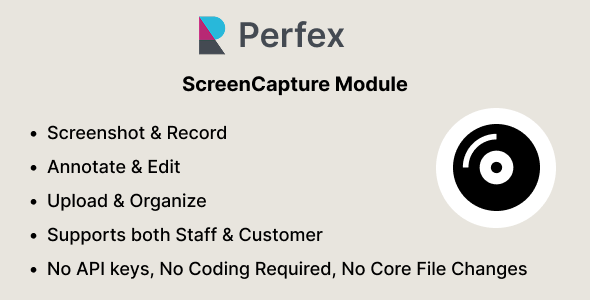
ScreenCapture – Screen Capture, Recording Annotation Module for Perfex CRM

Version Download:
Original price was: $29.00.$5.00Current price is: $5.00.
Note: ScreenCapture is an add-on module for Perfex CRM. It is not a standalone application and requires Perfex CRM to operate.
Overview
ScreenCapture brings a complete screen capture and visual documentation workflow directly into Perfex CRM. Staff and customers can capture screenshots, record their screens, annotate captured images, upload existing media, and keep everything organized in one centralized workspace.
Capture screenshots from your browser, application windows, or entire screen, then use the built-in editor to add annotations and visual highlights. Screen recordings can be created directly from the CRM and automatically uploaded for later viewing and management.
With support for image and video uploads, date-based organization, media previews, permissions, lazy loading, and infinite scrolling, ScreenCapture provides a practical way to document issues, explain tasks, provide visual feedback, and share important screen content without leaving Perfex CRM.
The module is designed as a plug-and-play Perfex CRM add-on and does not require any modifications to Perfex CRM core files.
What You Can Do
- Capture Screenshots
Capture your browser tab, application window, or entire screen directly from Perfex CRM. - Record Your Screen
Record screen activity directly from the browser and automatically upload the resulting video to ScreenCapture. - Annotate Screenshots
Open captured screenshots in the built-in editor and add visual information using text, arrows, shapes, highlights, redaction, crop, zoom, and pan tools. - Upload Existing Media
Add existing images and videos from your device to the same media workspace. - Organize Captures
Add titles and descriptions to captures and browse them through a clean gallery organized by date. - Preview & Manage
Open captures in a detailed preview, view file information, download media, and manage captures according to the user’s permissions.
How It Works
- Open ScreenCapture from the Perfex CRM interface.
- Choose whether you want to capture a screenshot, record your screen, or upload existing media.
- Screenshots can be opened directly in the built-in editor for annotation and visual editing.
- Screen recordings are automatically uploaded after recording is stopped and saved as captures.
- Add a title and description to provide additional context for each capture.
- All captures are stored in the ScreenCapture gallery and organized by date.
- Open any capture to preview the media and view information such as file size, creation date, and video duration where applicable.
- Captures can be shared with selected staff members or customers, or made available to all staff or all customers depending on the configured sharing options
- Before making a purchase, please read the Terms and Conditions on this page: Terms & Conditions
- If you have any questions, please first read the FAQ on this page: FAQ
- If you haven’t found the answer to your question, please contact us by e-mail codingshop20@yahoo.com or create ticket.
- Developer Support: Official support from the original developer is not included with purchases from CodingShop.
- Product Updates: Free lifetime updates are not included. Future updates is not free and should buy again.
- Download Access: Purchased products are available for download for 30 days after purchase. We recommend downloading and securely storing your files during this period.
- Security: We take reasonable measures to review the files available on our platform. Customers should also scan downloaded files with up-to-date security software before installation.
- All software products available on CodingShop are distributed under the GNU General Public License (GPL). The applicable license information is provided with each product where applicable. Please review the applicable GPL license terms before using, modifying or redistributing any product.
- CodingShop is an independent digital marketplace and is not the original developer or official distributor of third-party products unless explicitly stated. We do not provide or sell purchase codes, activation codes, license keys.
- You can download the product after the purchase by a direct link on your account page in the downloads section.
Related Products

Dish Cable & ISP Billing System (Asp.NET C#, Ajax, MSSQL)

HR Records plugin for RISE CRM

Ekattor 8 Online School Addon Bundle

Todate – The Ultimate QuickDate Theme 1.7

onTrack 2 – IT Asset Management, HelpDesk, Project Management, Billing More 2.2.0
