

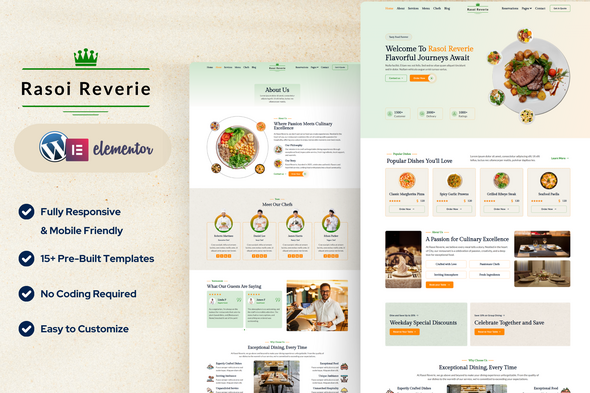
Rasoi Reverie — Restaurant Cafe Elementor Template Kit

Version Download:
Original price was: $19.00.$3.00Current price is: $3.00.
Rasoi Reverie is a beautifully crafted Elementor Template Kit designed specifically for restaurants, cafes, and culinary businesses. This kit offers an elegant and user-friendly layout to showcase your services, menu, and reservations, helping to attract more customers and enhance your online presence.
What’s Included in the Zip:
- Home
- About
- Services
- Menu
- Chefs
- Reservations
- Reservations Form
- Post Archive
- Single Post
- Contact
- Contact Form
- Header
- Footer
- 404 Page
Plugins Installed with Kit:
- Elementor
- Jeg Elementor Kit
- MetForm
How to Use Template Kits:
This is not a WordPress Theme. Template kits contain the design data for Elementor only and are installed using the Envato Elements plugin for WordPress or directly through Elementor.
Elementor Template Kits use the Envato Elements plugin to install.
How to Import MetForm Custom Form:
- Import MetForm template.
- Import the template where the form appears, then edit in Elementor.
- Click the MetForm widget in the column where the form should be and click Edit Form.
- Select New, leave blank selected then click Edit Form button.
- Click ‘Add Template’ grey folder button.
- Click ‘My Templates’ tab.
- Choose your imported MetForm template, then click ‘Insert’.
- Once the template is loaded, click ‘Update’.
How to Setup Header in Jeg Elementor Kit Plugin:
- If you have Elementor Pro, headers and footers may be customized under Theme Builder.
- Go to Jeg Elementor Kit menu item > Header Template.
- Click Add New Header.
- Add condition > All Site and click Create.
- Click the pencil icon to Edit and Elementor will appear.
- Click gray folder icon to access My Templates tab.
- Insert the header template.
- Customize and Save.
- Before making a purchase, please read the Terms and Conditions on this page: Terms & Conditions
- If you have any questions, please first read the FAQ on this page: FAQ
- If you haven’t found the answer to your question, please contact us by e-mail codingshop20@yahoo.com or create ticket.
- Please note that any digital products presented on the website do not contain malicious code, viruses or advertising. You buy the original files from the developers. We do not sell any products downloaded from other sites.
- we have not responsible for support users. if you need support, you can buy products directly from envato.
- Note that we can NOT provide purchase code for you. all products is Non-Licensed.
- we can NOT support free updates for you. download links available until 30 days after purchase.
- You can download the product after the purchase by a direct link on your account page in the downloads section.
Related Products

Dompet – Payment Admin Dashboard Bootstrap Template

Netfomix – NFT Marketplace HTML Template
