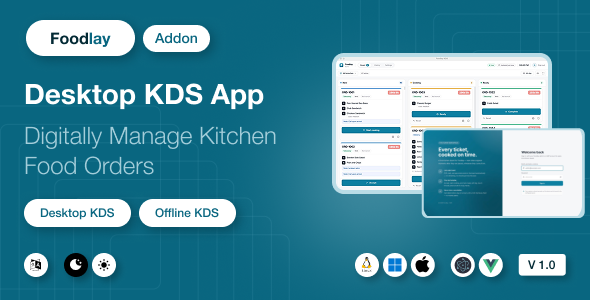
Foodlay KDS | Kitchen Display System Desktop Add-on

Version Download:
Original price was: $29.00.$5.00Current price is: $5.00.
Foodlay KDS is a desktop Kitchen Display System for restaurants, cafes, cloud kitchens, and food businesses. It runs as a native app on Windows, macOS, and Linux and turns any kitchen screen into a live order board: orders from every channel — POS counter, website, and mobile app — land on a three-column board (New → Cooking → Ready) with one-tap bumping, new-order chimes, ticket-age timers, an all-day batch view, and KOT thermal printing. Every ticket is mirrored into a local SQLite database, so the board survives restarts and network drops, and status bumps queue locally and sync back the moment the connection returns.
⚠️ Requires the Foodlay Admin & Web Panel (separate purchase). This item is the kitchen display client only. It connects to a running installation of the Foodlay Admin & Web Panel — the Laravel-based server product, which is a separate purchase and is not included in this package. Without that server, the KDS cannot log in or receive orders. The documentation includes a dedicated “Connecting to Your Server” guide covering every configuration value with concrete examples.
Key Features
- Live order board — a three-column New / Cooking / Ready board that polls your server and diffs every cycle: new tickets chime and pulse until a chef acknowledges them, and status changes made elsewhere (admin panel, a second kitchen screen) reconcile automatically
- One-tap bumping — Accept → Start cooking → Ready → Complete, with the correct ending per order type (takeaway is picked from the counter, dine-in is delivered, delivery tickets wait for the rider). One-step Recall undoes an accidental tap, and any of today’s finished tickets can be recalled from History
- Cancellations you can’t miss — a cancelled order stays on the board under a red alarm overlay with its own distinct sound until a chef dismisses it; it is never silently removed while food may still be on the stove
- Ticket-age timers — each ticket ages neutral → amber → red at thresholds you set, and the clock is the server’s, so a kitchen PC with a wrong system time can’t hide a late order
- All-day view — aggregated item totals across every new and cooking ticket, so the line can batch-cook “14 × Chicken Biryani” instead of reading twenty cards
- Offline-resilient — the full board lives in a local SQLite mirror; when the network drops the screen keeps working, bumps are queued, and everything pushes automatically on reconnect with a clear connection pill on screen
- KOT thermal printing — clean kitchen tickets in large type (no prices), with variants, add-ons, and customer notes, printed on demand or auto-printed the moment an order arrives
- Priced invoice printing — a full customer receipt (items, add-ons, discounts, taxes, service charges, payment method and paid/unpaid state) pulled fresh from the server at print time, with the business name and address taken from your admin panel
- Branch scoping & filters — pick the kitchen’s branch and see only its orders (optionally including unassigned ones); filter by order type (delivery / takeaway / dine-in) and by source (POS / Web / App) so a station only sees what it cooks
- Built for a kitchen screen — fullscreen mode, three text-size steps for reading from across the pass, adjustable alert volume with repeating alerts for unacknowledged tickets, and a mute toggle
- Keyboard shortcuts —
Aall-day panel,Mmute,Ffullscreen,Rsync now - 6 UI languages — English, Bengali, Spanish, Arabic (full RTL), Hindi, French. The chosen language is also sent to your server, so item and add-on names print on tickets in the kitchen’s own language
- Admin or employee sign-in — sign in with an admin account, or with a limited kitchen-staff employee account that can only read orders and update their status. Optional two-factor step supported. The token stays in the app’s secure main process and never touches the browser layer
- White-label ready — app name, application ID, icons, and accent color are all configurable; the brand color re-themes the running app live from Settings
Technical Specifications
- Desktop shell: Electron 33
- Frontend: Vue 3.5 (Composition API), Pinia 2, Vue Router 4
- Language: JavaScript (modern ES modules) — clean, readable, unminified source
- Styling: Tailwind CSS 3
- Local database: SQLite via better-sqlite3 11 (WAL mode)
- Printing: node-thermal-printer 4 (ESC/POS — Epson, Star, and compatibles) over network (TCP), USB / serial device, CUPS queue, or Windows printer share
- Networking: Axios with JWT bearer authentication
- Build tooling: electron-vite 2 + electron-builder 25
- Build targets: Windows portable ZIP (unzip and run — no installer or admin rights needed), macOS (.dmg / .zip), Linux (.deb / .AppImage)
- Supported OS: Windows 10+, macOS 11+, Ubuntu 20.04+ (and other modern distros via AppImage)
- Security: context isolation on, node integration off, sandboxed IPC surface, strict CSP; the auth token is bound to the server it was issued for
- Before making a purchase, please read the Terms and Conditions on this page: Terms & Conditions
- If you have any questions, please first read the FAQ on this page: FAQ
- If you haven’t found the answer to your question, please contact us by e-mail codingshop20@yahoo.com or create ticket.
- Developer Support: Official support from the original developer is not included with purchases from CodingShop.
- Product Updates: Free lifetime updates are not included. Future updates is not free and should buy again.
- Download Access: Purchased products are available for download for 30 days after purchase. We recommend downloading and securely storing your files during this period.
- Security: We take reasonable measures to review the files available on our platform. Customers should also scan downloaded files with up-to-date security software before installation.
- All software products available on CodingShop are distributed under the GNU General Public License (GPL). The applicable license information is provided with each product where applicable. Please review the applicable GPL license terms before using, modifying or redistributing any product.
- CodingShop is an independent digital marketplace and is not the original developer or official distributor of third-party products unless explicitly stated. We do not provide or sell purchase codes, activation codes, license keys.
- You can download the product after the purchase by a direct link on your account page in the downloads section.
Related Products

Resumen – Sass MultiStep Resume Builder

Todate – The Ultimate QuickDate Theme 1.7

Wasabi Integration for RISE CRM

BusinessBook – Inventory & Accounting Management Software
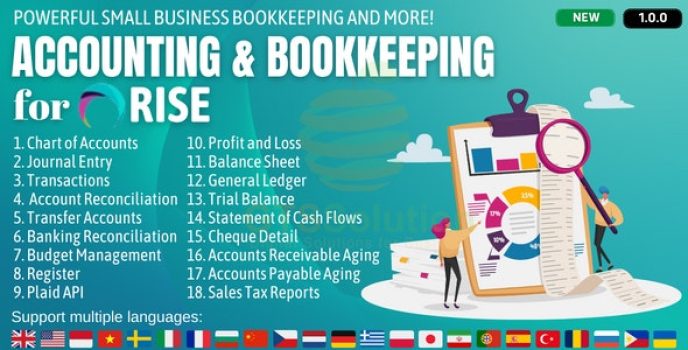
Accounting and Bookkeeping plugin for RISE CRM