

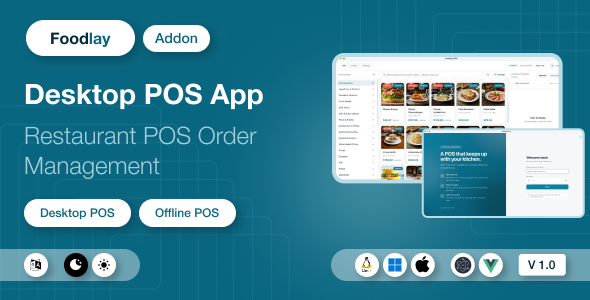
Foodlay Desktop POS | Offline Desktop Application Add-on

Version Download:
Original price was: $29.00.$5.00Current price is: $5.00.
Foodlay Desktop POS — Offline Restaurant POS App
Foodlay Desktop POS is an offline-first desktop POS application for restaurants, cafes, and food businesses. It runs as a native app on Windows, macOS, and Linux, keeps the full product catalog and every order in a local SQLite database, and keeps taking orders at full speed even when the internet goes down — pending orders sync back to your server automatically the moment the connection returns.
⚠️ Requires the Foodlay Admin & Web Panel (separate purchase). This item is the desktop POS client only. It connects to a running installation of the Foodlay Admin & Web Panel — the Laravel-based server product, which is a separate purchase and is not included in this package. Without that server, the POS cannot log in or load products. The documentation includes a dedicated “Connecting to Your Server” guide covering every configuration value with concrete examples.
Key Features
- Offline-first ordering — take orders, apply coupons, park carts, and print receipts with no internet; orders queue locally and push automatically when you’re back online
- Multi-branch — the cashier picks a POS-enabled branch after login; each branch has its own menu, prices, and categories
- Fast product grid — category filter, real-time search by name or SKU, variant and add-on selection dialogs, discount badges
- Full cart workflow — takeaway or home delivery, live totals with tax and discounts, delivery address capture
- Parked carts — put an order on hold with a label (“Table 5”), serve the next customer, resume any time; parked carts survive restarts
- Offline coupon validation — coupon codes are validated locally against the synced coupon list (expiry, minimum order, active state)
- Customer lookup — live server search when online, recently-seen cache when offline, walk-in guest mode
- Payments — cash with change-due calculation, card (last-4 capture), customer wallet, or send-a-payment-link through a third-party gateway (Stripe, SSLCommerz, or others configured on your server). Gateway fees are separate and are not included in this item — see the notice below.
- Thermal receipt printing — any ESC/POS printer (Epson, Star, and compatibles) over network, USB, serial, or Windows printer queue
- Order history & sync monitor — per-order sync status (synced / pending / failed with server error message) and one-click “Push Pending”
- 5 UI languages — English, Bengali, Spanish, Arabic (full RTL), Hindi
- Keyboard-first — complete shortcut set for high-volume counter use
- Automatic branding — store name and logo sync from your admin panel; accent color themes per till
Technical Specifications
- Desktop shell: Electron 33
- Frontend: Vue 3.5 (Composition API), Pinia 2, Vue Router 4
- Language: JavaScript (modern ES modules) — clean, readable, unminified source
- Styling: Tailwind CSS 3
- Local database: SQLite via better-sqlite3 11 (WAL mode)
- Printing: node-thermal-printer 4 (ESC/POS — Epson, Star, and compatibles)
- Networking: Axios with JWT bearer authentication
- Build tooling: electron-vite 2 + electron-builder 25
- Installer targets: Windows NSIS (.exe), macOS (.dmg / .zip), Linux (.deb / .AppImage)
- Supported OS: Windows 10+, macOS 11+, Ubuntu 20.04+ (and other modern distros via AppImage)
What You Receive
- The complete, unobfuscated source code of the desktop application
- One-command build scripts that produce native installers for Windows (.exe), macOS (.dmg), and Linux (.deb / .AppImage)
- Offline HTML documentation covering: step-by-step installation guides for each platform written for non-technical users, the full server connection guide, feature walkthroughs, a customization guide (app name, icon, receipt header and footer), troubleshooting and FAQ, and a developer reference (consumed API endpoints, local SQLite schema, extension points)
- A plain-text quick-start README
A note on installers: your server’s address is compiled into the app at build time, so each store builds its own installer — a copy-paste process of five documented commands that only needs Node.js installed. Till machines need nothing but the finished installer.
Requirements
- Foodlay Admin & Web Panel (separate purchase) installed, running, and reachable from your POS machines
- An admin account on that server, the POS module enabled, and at least one POS-enabled branch with published items
- To build the installer: Node.js 18+ on any one computer (Windows, macOS, or Linux)
- Optional: an ESC/POS-compatible thermal printer for receipts
- Optional: your own merchant account with a third-party payment gateway (for example Stripe or SSLCommerz) if you want to use payment-link checkout — subject to that provider’s own separate fees (see the notice below)
- Before making a purchase, please read the Terms and Conditions on this page: Terms & Conditions
- If you have any questions, please first read the FAQ on this page: FAQ
- If you haven’t found the answer to your question, please contact us by e-mail codingshop20@yahoo.com or create ticket.
- Developer Support: Official support from the original developer is not included with purchases from CodingShop.
- Product Updates: Free lifetime updates are not included. Future updates is not free and should buy again.
- Download Access: Purchased products are available for download for 30 days after purchase. We recommend downloading and securely storing your files during this period.
- Security: We take reasonable measures to review the files available on our platform. Customers should also scan downloaded files with up-to-date security software before installation.
- All software products available on CodingShop are distributed under the GNU General Public License (GPL). The applicable license information is provided with each product where applicable. Please review the applicable GPL license terms before using, modifying or redistributing any product.
- CodingShop is an independent digital marketplace and is not the original developer or official distributor of third-party products unless explicitly stated. We do not provide or sell purchase codes, activation codes, license keys.
- You can download the product after the purchase by a direct link on your account page in the downloads section.
Related Products

BMCleaner Pro – Full Application Source Code

Designit – Sass Photo Editor

Charitio – Crowdfunding Platform

Wasabi Integration for RISE CRM

Indiamart Leads Integration Module for Perfex CRM
