

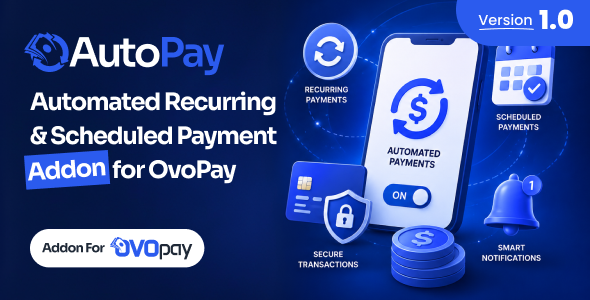
AutoPay – Automated Recurring Scheduled Payment Addon For OvoPay

Version Download:
Original price was: $19.00.$3.00Current price is: $3.00.
Meet AutoPay – the smart Automated Recurring & Scheduled Payment Addon built exclusively for OvoPay. Help your users never miss rent, a bill, a school fee or a monthly transfer to family again.
AutoPay lets users set up a payment once, for example “Send 50 to Mom every month on the 1st”, and it runs automatically on every due date from their wallet. Every scheduled run goes through OvoPay’s own payment engine, so charges, limits and transaction history stay exactly the same as a manual payment.
Whether you run a digital wallet, a bill payment service, or a full mobile money platform, AutoPay adds the recurring payments your users expect, with retries, reminders and complete admin visibility built in.
Highlighted Features
 7 Automatable Services: Schedule Send Money, Bank Transfer, Utility Bill, Mobile Recharge, Education Fee, Donation and Merchant Payment.
Flexible Repeat Intervals: Repeat payments every few days, weeks or months at the hour the user chooses.
End Date or Total Runs: Stop a schedule on a set date, after a set number of payments, or let it run forever.
Same as a Manual Payment: Each run uses the current charges, limits and transaction history of OvoPay’s payment engine.
Smart Retry Policy: Temporary failures are retried automatically and a schedule stops itself after repeated failures.
Upcoming Payment Reminders: Remind users before a payment runs so they can top up their wallet in time.
Smart Notifications: Notify users when a payment succeeds, fails, or when a schedule is paused or stopped.
Admin Schedules & Run Logs: See every schedule and every payment attempt with its amount, charge, Trx and result.
Run Now: Let admins make a scheduled payment immediately to help a user after a problem is fixed.
Service Control: Choose which services users can automate. Switching one off pauses its schedules safely.
Web & User App: Users create and manage schedules from the website and the User App.
Why Choose AutoPay?
Built for OvoPay: Designed specifically for OvoPay to ensure smooth integration, optimized performance, and maximum compatibility.
One-Click Addon Activation: Simply upload the addon from the Addon Manager and activate it instantly within seconds.
Secure Transactions: Payments are made only from the user’s own wallet balance, with nothing reserved in advance.
Shared Hosting Friendly: A configurable batch size keeps the background cron fast and light on any server.
More Transactions, More Revenue: Recurring payments keep users active on your platform and grow your transaction volume.
Reliable Rocket Support: Get fast, friendly, and professional assistance from our dedicated support team whenever you need help.
Requirements
AutoPay is an addon module for OvoPay and not a standalone product. An active installation of OvoPay is required before using this addon.
OvoPay Installation Required: You must have OvoPay installed to use the AutoPay addon.
Latest Version Recommended: Using the latest version of OvoPay is recommended for the best compatibility, stability, and performance.
Cron Job Required: The server cron job must be running, as scheduled payments are processed in the background.
- Before making a purchase, please read the Terms and Conditions on this page: Terms & Conditions
- If you have any questions, please first read the FAQ on this page: FAQ
- If you haven’t found the answer to your question, please contact us by e-mail codingshop20@yahoo.com or create ticket.
- Developer Support: Official support from the original developer is not included with purchases from CodingShop.
- Product Updates: Free lifetime updates are not included. Future updates is not free and should buy again.
- Download Access: Purchased products are available for download for 30 days after purchase. We recommend downloading and securely storing your files during this period.
- Security: We take reasonable measures to review the files available on our platform. Customers should also scan downloaded files with up-to-date security software before installation.
- All software products available on CodingShop are distributed under the GNU General Public License (GPL). The applicable license information is provided with each product where applicable. Please review the applicable GPL license terms before using, modifying or redistributing any product.
- CodingShop is an independent digital marketplace and is not the original developer or official distributor of third-party products unless explicitly stated. We do not provide or sell purchase codes, activation codes, license keys.
- You can download the product after the purchase by a direct link on your account page in the downloads section.
Related Products

Dboss – NFT Drop Collection Template

Indiamart Leads Integration Module for Perfex CRM
Radio.net Scraper : Radio Stations Extraction 1.3

Minto – ReactJs NFT Marketplace UI kit

Inventory Management plugin for RISE CRM
