

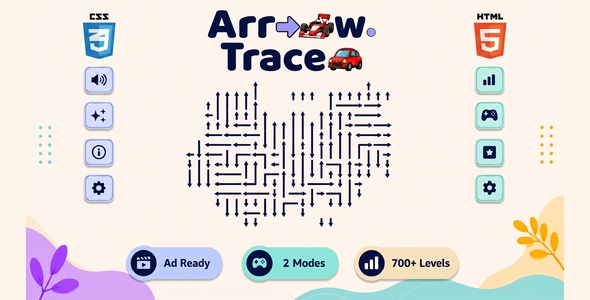
Arrow Trace | 750 Levels HTML5 Arrow Puzzle Game

Version Download:
Original price was: $29.00.$5.00Current price is: $5.00.
A complete, production-ready HTML5 puzzle game built for commercial distribution. Zero external JavaScript dependencies. Runs on any modern browser straight from a static file host with no build step required.
Overview
Arrow Trace is a tap-to-clear arrow puzzle: tap an arrow whose path is open and it clears off the board; clear every arrow to win. The game bundles two play modes — Classic Puzzle (476 hand-built levels across Easy, Medium, and Hard) and Skins Puzzle (300 levels playable with 2D or 3D Car / F1 Car skins, where tapping sends the vehicle driving off in its open direction). It features five selectable board themes, an optional Cartoonic Mode visual style, a custom puzzle importer, a shared XP progression system with seven rank tiers, a per-mode/per-difficulty local best-times leaderboard, a seven-achievement system, and a full sponsor/ad integration framework — all in a single self-contained HTML5 package.
About the Game
- Entry point is
index.html— pure vanilla HTML5, CSS3, and ES6+ JavaScript, zero libraries/frameworks - Game engine and UI in a single IIFE in
scripts/js/game.js - Classic levels ship in
scripts/js/classic-levels.js, Skins levels inscripts/js/skin-levels.js - Ads are switched on/off from
scripts/config/ads.js; sponsor placeholder inscripts/sponsor/sponsor-placeholder.html - All game state persisted to
localStoragewith graceful degradation when storage is unavailable
Puzzle Modes
- Classic Puzzle — tap an arrow to clear it, untangle every level. 476 levels (159 Easy, 159 Medium, 158 Hard). Optional Unlimited Hints toggle (default is 3 hints/level) and Chances Mode toggle (3 chances, game over if you run out).
- Skins Puzzle — same clearing rule, played with 2D or 3D Car / F1 Car skins; tap the open direction to drive/race the piece off. 300 levels, shared across the 2D/3D skin choice.
Each mode has its own level-select screen and its own separate level-progress save.
Themes & Skins
Five board themes, shared across both modes, saved to localStorage (default: Amber): Amber, Sky Meadow, Mint Confetti, Midnight, Rose Blush (new). A separate Cartoonic Mode toggle layers chunky sticker-style borders and a playful rounded font on top of any theme, and is on by default for first-time players.
How to Play
- From the lobby, choose Classic Puzzle or Skins Puzzle.
- Pick a difficulty (Easy/Medium/Hard) and a level from the grid — or paste a solved 81-digit puzzle string via Import Puzzle.
- Tap arrows (or skin pieces) whose path is open to clear them. Use Hint, Undo, and Reset as needed.
- Clear the board to see your time, moves, mistakes, and XP earned.
Game Screen Controls
Hint (limited to 3/level unless Unlimited Hints is on), Undo (reverses the last move, works in both modes), Reset (restarts the puzzle, with confirmation), New Game (returns to lobby, with confirmation), and Pause (Resume / New Game / Quit to Lobby). Esc opens/closes the pause popup.
XP, Rank & Achievements
Both modes award XP toward one shared rank system: a base amount per difficulty, plus a zero-mistake bonus, plus a par-time speed bonus. Seven rank tiers: Apprentice (0) → Solver (300) → Thinker (800) → Expert (1,800) → Master (3,500) → Sage (6,000) → Grand Master (10,000).
Seven achievements, shown as badges on the Achievements page: First Win, Perfect Solve (zero mistakes), Lightning Fast (under 3 minutes), 3-Day Streak, 7-Day Streak, Hard Mode, and 10 Puzzles.
Leaderboard
A local “Best Times” leaderboard is accessible from the lobby, with Classic/Skins tabs and Easy/Medium/Hard tabs within each. Ranked by fastest time. Records can be cleared from the leaderboard screen.
- Before making a purchase, please read the Terms and Conditions on this page: Terms & Conditions
- If you have any questions, please first read the FAQ on this page: FAQ
- If you haven’t found the answer to your question, please contact us by e-mail codingshop20@yahoo.com or create ticket.
- Developer Support: Official support from the original developer is not included with purchases from CodingShop.
- Product Updates: Free lifetime updates are not included. Future updates is not free and should buy again.
- Download Access: Purchased products are available for download for 30 days after purchase. We recommend downloading and securely storing your files during this period.
- Security: We take reasonable measures to review the files available on our platform. Customers should also scan downloaded files with up-to-date security software before installation.
- All software products available on CodingShop are distributed under the GNU General Public License (GPL). The applicable license information is provided with each product where applicable. Please review the applicable GPL license terms before using, modifying or redistributing any product.
- CodingShop is an independent digital marketplace and is not the original developer or official distributor of third-party products unless explicitly stated. We do not provide or sell purchase codes, activation codes, license keys.
- You can download the product after the purchase by a direct link on your account page in the downloads section.
Related Products

Poker (Admob + GDPR + Android Studio)

Ludo Online – Unity Multiplayer Game

Snake vs Block (Admob + GDPR + Android Studio)

Bundle 7 GAMES – Gradle (Admob + GDPR + Android Studio)

4 Images 1 Word
