

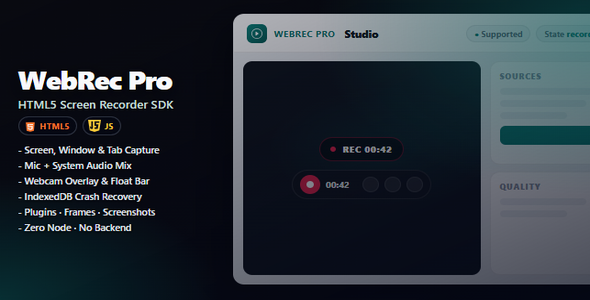
WebRec | Html5 Screen Recording Utility For PC

Version Download:
Original price was: $39.00.$6.00Current price is: $6.00.
Turn any website into a place where people can record their PC screen — the full desktop, any window, or a browser tab — with no apps to install.
Whether you run a course, a support desk, a SaaS product, or a client portal, WebRec lets visitors capture what is on their computer, talk with their mic, show their webcam, then preview and save the video. It runs in the browser, but recording is not limited to your webpage alone: users can share their entire PC screen, an application window, or a tab.
The problem it solves
Long written explanations miss the point. Screenshots are incomplete. Desktop recorder apps get abandoned halfway.
WebRec puts PC screen recording where your users already are — inside your website. They click, choose what to share on their computer, and send you a clear video of exactly what happened.
Why it feels valuable
- Looks premium — polished Studio interface and floating controls your users will trust
- Zero friction — works in the browser; visitors don’t download anything
- Ready out of the box — open the included Studio demo and record in minutes
- Easy to brand — match your colors with a simple theming guide
- Built for real sites — courses, support, demos, interviews, and team tools
Everything included
Recording
- Screen, window, or browser tab
- Microphone + system sound (when allowed by the browser)
- Webcam overlay while recording
- Pause, resume, stop, cancel, and restart
After the take
- Instant preview
- Download WebM / Download MP4 (in-browser convert), plus share where the browser allows
- Screenshots during recording
- Video thumbnails
- Simple trim helper
- Crash recovery if the tab closes mid-recording
For your project
- Full visual Studio demo
- Beginner-friendly documentation with screenshots
- 34 examples for common setups
- Optional upload to your own server
Who it’s for
- Course creators & coaches collecting student walkthroughs
- Support teams who want bugs shown, not described
- Product owners adding “record a demo” inside their app
- HR & hiring flows that need screen + camera takes
- Agencies delivering recording features to client websites
How it works
- Try it — open the Studio demo and record a sample video
- Learn it — follow the Getting Started guide (written for non-developers)
- Add it — drop the ready files onto your site, or send them to your developer
Your live website needs a secure connection (HTTPS). For local testing, localhost is enough.
- Before making a purchase, please read the Terms and Conditions on this page: Terms & Conditions
- If you have any questions, please first read the FAQ on this page: FAQ
- If you haven’t found the answer to your question, please contact us by e-mail codingshop20@yahoo.com or create ticket.
- Please note that any digital products presented on the website do not contain malicious code, viruses or advertising. You buy the original files from the developers. We do not sell any products downloaded from other sites.
- we have not responsible for support users. if you need support, you can buy products directly from envato.
- Note that we can NOT provide purchase code for you. all products is Non-Licensed.
- we can NOT support free updates for you. download links available until 30 days after purchase.
- You can download the product after the purchase by a direct link on your account page in the downloads section.
Related Products

Sadakat – Charity Nonprofit HTML 5 Template

Begam – Online Gaming Tournaments HTML Template
