

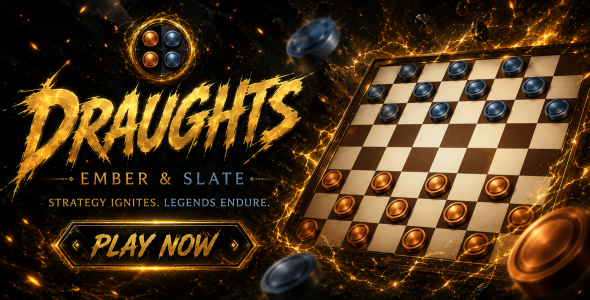
Draughts Ember Slate | HTML5 Game With AI and PvP

Version Download:
Original price was: $19.00.$3.00Current price is: $3.00.
Premium HTML5 Draughts (Checkers) game. Eight built-in themes plus a fully customizable theme editor. Three AI difficulty levels, including a Hard mode powered by depth-7 minimax with move ordering. No build step — open index.html directly.
Game Modes
vs AI
Play against the computer engine. Supports Easy, Medium, and Hard difficulty. The AI opponent is given a random name drawn from a pool of twelve titles each session.
Two Players
Local head-to-head on a single device. Both players share the same screen and take alternating turns.
AI Difficulty
Easy
Random move selection from the legal move set. Mandatory captures are respected. Designed for new players and children.
Medium
Minimax algorithm at depth 4 with alpha-beta pruning. Evaluation uses piece counts, positional weight table, and mobility scoring. Reaction delay 500–800ms.
Hard
Minimax algorithm at depth 7 with alpha-beta pruning and root-level move ordering. The Hard evaluator applies heavier king weighting (7 vs 5), stronger positional multipliers, aggressive mobility penalties on the opponent, and capture-threat bonuses. Captures and promotion moves are sorted first at every node. No randomness. Reaction delay 200–300ms.
Themes (8 built-in + full custom editor)
- Ember — Warm amber brass and burnt sienna. Default theme.
- Slate — Cool steel-blue pieces on deep navy squares.
- Forest — Earthy greens and woodland browns.
- Arctic — Icy blues and crisp whites on dark ocean.
- Midnight — Deep violet and lavender on near-black.
- Crimson — Blood reds and pale rose on dark wine.
- Gold — Rich gold and ivory on deep walnut.
- Neon — Electric cyan and red-orange on near-black with canvas glow effects and grid-line overlays.
- Custom — Full user-defined theme. Individually configurable light squares, dark squares, frame color, accent color, Copper piece color, and Slate piece color. Piece shading (highlight and shadow) is derived automatically. Six built-in presets: Classic, Obsidian, Ocean, Rose, Sand, Jade. Theme selection and custom colors are persisted via localStorage.
Controls & Interactions
Click / Tap (select piece)
Click or tap a piece that belongs to the active player. Valid destination squares are highlighted: a filled dot for a simple move, a filled circle with a ring for a capture.
Click / Tap (execute move)
Click or tap a highlighted destination to execute the move. Multi-jump captures are resolved automatically in a single animation sequence.
Undo
Reverts the last move. In vs AI mode, two half-moves are undone (the player’s move and the preceding AI response) so the player is always returned to their own turn.
Pause / Resume
Suspends all board input and AI scheduling. The board is cleared of highlights and selection state while paused.
Assign Opponent
Available in vs AI mode via the header icon or the Pause overlay. Randomly assigns which color the human controls and gives the AI a new name. A confirmation overlay summarizes the role assignment before applying it.
Lobby
Returns to the main menu at any point during a match. Theme, mode, and difficulty selections are preserved.
Quit
Triggers a two-button confirmation dialog (Stay / Quit) before ending the current match.
Overlay System & UI Features
- Game Over — Displays final piece counts for both sides, winner badge (★ Winner), and Play Again / Back to Lobby actions. Plays a win, loss, or draw sound cue.
- Pause — Resume, Assign Opponent, Back to Lobby, and Quit Game options.
- Assign Opponent — Shows color disc previews for the player and AI. Randomised side assignment with a named opponent drawn from a twelve-name pool. Cancel returns to the previous context (game or Pause overlay).
- Assign Confirmed — Role summary with color discs for both sides. Rematch (new game with current assignment) and Main Menu actions. Dismissible with the close icon.
- Quit Confirm — Stay / Quit two-button confirmation. Quit returns to the Lobby.
- Custom Theme Editor — Live 8×8 mini board preview with piece placement. Six color pickers (light square, dark square, frame, accent, Copper piece, Slate piece). Six preset buttons. Apply closes the modal and immediately repaints the board.
- Browser Compatibility — Displayed on load if any required feature is missing (Canvas 2D, requestAnimationFrame, CSS Custom Properties, ES2015+). Lists failing features by name. Hidden automatically if all checks pass.
Tech Stack (100% vanilla)
- HTML5 Canvas 2D — all board and piece rendering, move animations, crown animations
- Vanilla JavaScript ES2015+ — no libraries, no frameworks, no bundler
- CSS Custom Properties — full design-token system, eight theme variants
- Web Audio API — procedural sound effects for move, capture, multi-capture, king promotion, game start, game over, undo, select, invalid, and click events
- localStorage — custom theme color persistence and selected theme memory across sessions
- Google Fonts — Cinzel, Crimson Pro — loaded via Google Fonts CDN at runtime; requires an internet connection for optimal typography
- Before making a purchase, please read the Terms and Conditions on this page: Terms & Conditions
- If you have any questions, please first read the FAQ on this page: FAQ
- If you haven’t found the answer to your question, please contact us by e-mail codingshop20@yahoo.com or create ticket.
- Developer Support: Official support from the original developer is not included with purchases from CodingShop.
- Product Updates: Free lifetime updates are not included. Future updates is not free and should buy again.
- Download Access: Purchased products are available for download for 30 days after purchase. We recommend downloading and securely storing your files during this period.
- Security: We take reasonable measures to review the files available on our platform. Customers should also scan downloaded files with up-to-date security software before installation.
- All software products available on CodingShop are distributed under the GNU General Public License (GPL). The applicable license information is provided with each product where applicable. Please review the applicable GPL license terms before using, modifying or redistributing any product.
- CodingShop is an independent digital marketplace and is not the original developer or official distributor of third-party products unless explicitly stated. We do not provide or sell purchase codes, activation codes, license keys.
- You can download the product after the purchase by a direct link on your account page in the downloads section.
Related Products

Poker (Admob + GDPR + Android Studio)

React App Builder – SaaS – Unlimited number of apps

Game Box + Admin Panel

Ludo Online – Unity Multiplayer Game

Word Brain Puzzle
