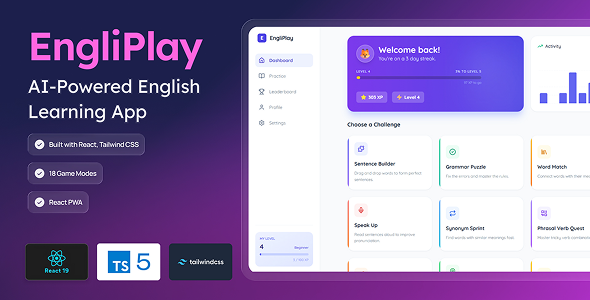
EngliPlay is a fully self-hosted Progressive Web App (PWA) that turns English learning into an addictive game. Powered by the OpenRouter AI workflow – which chains through 5 free large-language models with automatic fallback – it generates infinite, level-appropriate content so no two sessions are ever the same.
Buyers deploy on their own domain in minutes: add two free API credentials (OpenRouter + Firebase), run npm install && npm run dev, and the app is live. Zero monthly subscription costs for the app itself.
18 AI-Driven Game Modes
Sentence Builder – drag & drop scrambled words into correct order
Grammar Puzzle – multiple-choice error correction
Speech Challenge – read aloud, scored by Web Speech API in real time
Dictation Master – listen to TTS audio, type what you hear
Story Weaver – fill blanks in an AI-generated short story
AI Chat Roleplay – open-ended conversation with an AI English tutor
Synonym Sprint – find synonyms before the timer runs out
Spelling Bee – identify the correctly spelled word
Global leaderboard (Firestore-backed, live rankings)
50-session history log with XP chart (Recharts)
Confetti animation on level-up
Features at a Glance
PWA — installable on desktop, Android, iOS; app shell works offline
Google Sign-In via Firebase Authentication; guest mode uses localStorage
Firestore cloud sync — progress follows the user across all devices
Dark mode + light mode, persisted per user
Sound effects (correct, wrong, timer, level-up)
Fully responsive – mobile-first design
Microphone access only on explicit tap; audio processed locally by the browser
Structured Practice section with 14 curated lessons, each locked to appropriate levels
Topic selector on Dashboard – filter AI content by subject (Travel, Business, Food, etc.)
Error Boundary component wraps the entire app for graceful failure recovery
Tech Stack
React 19 + TypeScript 5 + Vite 6
Tailwind CSS 3 (JIT)
Firebase 12 (Auth + Firestore)
OpenRouter AI API (free LLM models)
Recharts (XP history chart)
Lucide React (icons)
Vitest (37 automated test assertions across 6 suites)
canvas-confetti (level-up celebration)
Quick Setup (3 Steps)
Get a free OpenRouter API key at openrouter.ai/keys
Create a free Firebase project and copy its web config
Paste both into .env.local, run npm install && npm run dev
Full OS-specific installation instructions (Windows, macOS, Linux) are included in the documentation.
Before making a purchase, please read the Terms and Conditions on this page: Terms & Conditions
If you have any questions, please first read the FAQ on this page: FAQ
If you haven’t found the answer to your question, please contact us by e-mail codingshop20@yahoo.com or create ticket.
Please note that any digital products presented on the website do not contain malicious code, viruses or advertising. You buy the original files from the developers. We do not sell any products downloaded from other sites.
we have not responsible for support users. if you need support, you can buy products directly from envato.
Note that we can NOT provide purchase code for you. all products is Non-Licensed.
we can NOT support free updates for you. download links available until 30 days after purchase.
You can download the product after the purchase by a direct link on your account page in the downloads section.
Related Products
- 85%
$67.00Original price was: $67.00.$10.00Current price is: $10.00.