

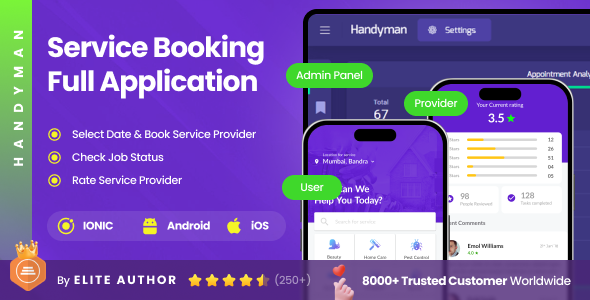
2 Apps | Home Services Booking Full Application | Service Provider Appointment App | Handyman

Version Download:
Original price was: $49.00.$7.00Current price is: $7.00.
Handyman is a complete home services booking app full application designed to connect customers with skilled professionals for various at-home services such as plumbing, cleaning, electrical work, and repairs.
It includes User App, Service Provider App, and Admin Panel, enabling smooth coordination between customers, service providers, and platform management within a unified system.
Built for developers, startups, and businesses, this solution helps reduce development time by providing a complete system with essential workflows for launching and customizing a service booking platform based on specific requirements.
KEY FEATURES
- Home services booking system for multiple service categories
- Integrated booking, scheduling, and payment flow
- Booking and service status updates
- Service provider management with availability control
- Centralized admin panel for platform monitoring
- Ratings and reviews system to improve service quality
- Structured workflows for users and service providers
- User-friendly interface
TECHNOLOGY STACK
Android & iOS Development – Ionic
Backend Development – Laravel
Admin Panel Development – Angular
PERFORMANCE & SCALABILITY
Clean and well-structured code across all modules
Designed to scale for various home service use cases
Supports backend integration and API connectivity
. Flexible architecture for customization and feature extension
Optimized for stable performance across booking workflows
IDEAL USE CASES
Home service startups and aggregators
Local service provider platforms
On-demand repair and maintenance businesses
Entrepreneurs building service marketplace apps
WHY CHOOSE HANDYMAN
Handyman is designed to handle real-world booking, scheduling, and service management workflows while allowing customization and expansion as business needs grow.
Launch your home services platform faster with a full application built for practical and scalable implementation.
Handyman comes with 50+ screens.
List of Screens
User App Screens
- Splash Screen
- App Language Screen
- Sign in, Sign up, and OTP Verification Screen
- Forgot Password Screen
- Home Screen
- Service Categories Screen
- Plumbing Category Screen
- Plumber Profiles List Screen
- Plumber Profile Screen
- Plumber Review Screen
- Appointment Booking Screen
- List of Appointments Screen
- Appointment Status Screen (5 Screens)
- Submit Review Screen
- Notification Screen
- Chat List Screen
- Conversation Screen
- Account Screen (6 Screens)
- My Profile Screen
- Before making a purchase, please read the Terms and Conditions on this page: Terms & Conditions
- If you have any questions, please first read the FAQ on this page: FAQ
- If you haven’t found the answer to your question, please contact us by e-mail codingshop20@yahoo.com or create ticket.
- Developer Support: Official support from the original developer is not included with purchases from CodingShop.
- Product Updates: Free lifetime updates are not included. Future updates is not free and should buy again.
- Download Access: Purchased products are available for download for 30 days after purchase. We recommend downloading and securely storing your files during this period.
- Security: We take reasonable measures to review the files available on our platform. Customers should also scan downloaded files with up-to-date security software before installation.
- All software products available on CodingShop are distributed under the GNU General Public License (GPL). The applicable license information is provided with each product where applicable. Please review the applicable GPL license terms before using, modifying or redistributing any product.
- CodingShop is an independent digital marketplace and is not the original developer or official distributor of third-party products unless explicitly stated. We do not provide or sell purchase codes, activation codes, license keys.
- You can download the product after the purchase by a direct link on your account page in the downloads section.
Related Products

Owner App For Multi Salon, Spa, Barber Appointment Booking System

Multi Salon, Spa, Barber Appointment Booking System | Adminpanel | Salon Owner Panel – saas 5.1

WeCarCare React Native Car Service Theme/Template

Happy Desire – Flutter WooCommerce App

WhatsUp React Native Theme/Template
